Procreate Planner Stamps: Elevate Your Digital Planning Workflow
Digital planning has evolved from a niche hobby into a robust productivity system for thousands of creatives, students, and professionals. The appeal lies in the flexibility: the ability to reorganize thoughts, correct mistakes instantly, and customize layouts without the physical constraints of paper. However, many users find themselves stuck in a cycle of repetitive drawing or spending excessive time searching for clipart that matches their aesthetic. This is where Procreate Planner Stamps become an indispensable tool. Designed specifically for the iPad and the Procreate app, this set of 20 stamp brushes offers a streamlined solution for enhancing digital journals, planners, and creative projects with minimal effort and maximum stylistic control.
The Challenge of Consistent Aesthetics in Digital Planning
One of the most common hurdles faced by digital planners is maintaining a cohesive visual style. When you are creating daily logs, weekly spreads, or mood trackers, consistency is key to a polished look. Without specialized tools, users often resort to one of two time-consuming methods: hand-drawing every icon and decorative element, which requires significant artistic skill and time, or importing external PNG files, which can clutter the gallery and lack flexibility in color matching.
Furthermore, standard clipart often feels static. If your planner theme changes from a warm autumn palette to a cool winter scheme, traditional images require external editing software to adjust hues. This friction breaks the creative flow and turns planning—a task meant to reduce stress—into a source of frustration. The goal for most users is not just to document their lives but to do so in a way that is visually pleasing and efficient. Procreate Planner Stamps address these pain points by integrating decorative elements directly into the brush engine, allowing for real-time customization and seamless integration into your workflow.
How Procreate Planner Stamps Streamline Your Process
Procreate Planner Stamps are not merely images; they are functional brush tools. This distinction is crucial for understanding their value. Because they operate as stamps within the Procreate interface, they respond to the app’s native features. You can change colors instantly using the color disc, adjust opacity for subtle watercolor effects, or use the eraser tool to remove specific details without affecting the rest of the stamp. This level of interactivity transforms static decorations into dynamic design elements.
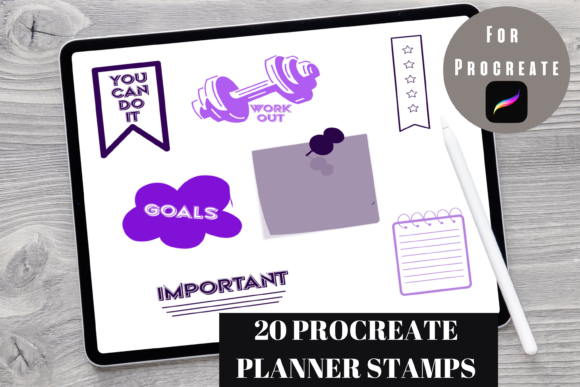
The set includes 20 distinct designs, curated to cover a wide range of planning needs. Whether you need checkboxes for task lists, decorative borders for headers, or thematic icons for seasonal spreads, these brushes provide a foundational library. By keeping these assets within the brush menu, you eliminate the need to switch between apps or dig through file folders. The result is a smoother, faster planning session where you spend more time organizing your thoughts and less time hunting for graphics.
Practical Applications and Creative Outcomes
The versatility of Procreate Planner Stamps allows them to be used across various types of digital documents. Here are several practical ways to implement them into your routine:
- Daily and Weekly Spreads: Use checkbox stamps to create clean, uniform to-do lists. Unlike hand-drawn boxes, which may vary in size, stamp brushes ensure perfect alignment and consistency, giving your planner a professional appearance.
- Habit Trackers: Create visually engaging habit trackers by using decorative stamps to mark completed days. You can change the color of each stamp to represent different moods or levels of achievement, adding a layer of data visualization to your tracking.
- Journaling Headers: Enhance your journal entries with decorative borders or thematic icons. For example, if you are writing about a travel experience, you can quickly stamp relevant icons to break up text and add visual interest.
- Seasonal Themes: Since you can easily recolor the stamps, you can adapt the same set of brushes for different seasons. A leaf icon can be green for spring, orange for autumn, or white for winter, maximizing the utility of the 20-brush set.
The outcome of using these tools is a digital planner that feels personalized and polished. Users report that having access to high-quality, customizable stamps reduces the mental load of design decisions, allowing them to focus on the content of their planning rather than the aesthetics alone.
Tailoring the Experience to Different User Needs
Different users approach digital planning with varying goals, and Procreate Planner Stamps accommodate these diverse needs effectively.
The Productivity-Focused User: For individuals who use digital planning strictly for task management and scheduling, efficiency is paramount. These users benefit from the speed of stamping pre-made elements. They can quickly assemble functional layouts without getting distracted by decorative choices. The ability to duplicate and move stamps ensures that their layouts remain structured and orderly.
The Creative Journaler: Artists and creative writers often view their planners as canvases. For this group, the ability to modify stamps is essential. They might erase parts of a stamp to create unique compositions, layer multiple stamps to build complex illustrations, or adjust opacity to create background textures. The Procreate Planner Stamps serve as building blocks for more elaborate artistic expressions.
The Beginner Digital Planner: Newcomers to digital planning often feel intimidated by the blank canvas. Having a set of ready-to-use stamps provides a safety net. It allows beginners to create attractive pages without needing advanced drawing skills. As they gain confidence, they can experiment with modifying the stamps, gradually learning the capabilities of the Procreate app.
Implementation Tips for Best Results
To get the most out of your Procreate Planner Stamps, consider the following recommendations:
- Organize Your Brush Library: Create a dedicated folder in your Procreate brush library for these stamps. This ensures they are always accessible and keeps your workspace uncluttered.
- Experiment with Layer Modes: Try changing the layer mode of your stamped elements. Using "Multiply" can help stamps blend naturally with textured paper backgrounds, while "Overlay" can add vibrant pops of color.
- Use the Transform Tool: After stamping, use the transform tool to resize or rotate elements. This allows you to create variety even with a limited set of 20 brushes. Flipping a stamp horizontally can make it feel like a completely new element.
- Combine with Hand-Lettering: Mix stamped elements with handwritten text for a balanced look. Use stamps to frame your handwriting or to highlight key dates and events.
It is important to remember that this is a digital product designed exclusively for Procreate on the iPad. It is not compatible with other planning apps or desktop software. Ensuring you have the latest version of Procreate installed will guarantee the best performance and compatibility with the brush files.
Conclusion
Digital planning should be a joyful, efficient process that supports your organizational goals. Procreate Planner Stamps offer a practical solution to the common challenges of consistency, time management, and creative flexibility. By integrating these 20 customizable stamp brushes into your workflow, you can elevate the quality of your digital planners while reducing the time spent on repetitive design tasks. Whether you are a busy professional seeking structure, a creative soul looking for expression, or a beginner eager to start your digital journey, these tools provide the support needed to create beautiful, functional plans. Embrace the convenience of digital customization and transform your iPad into a powerful planning companion.